

Ecomdash
How do I connect my inventory with Ecomdash?
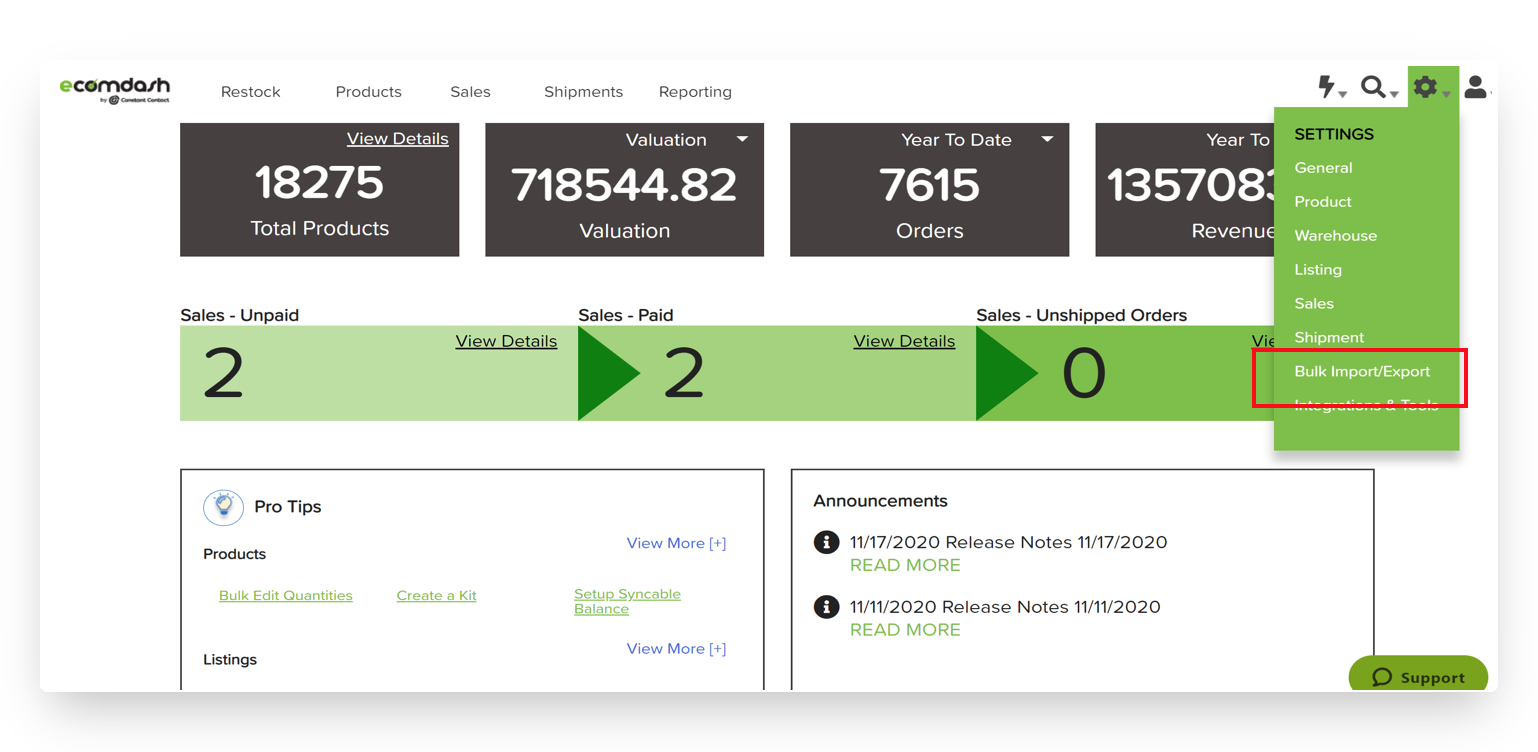
- Select the gear icon in the top right and click "Bulk Import/Export"
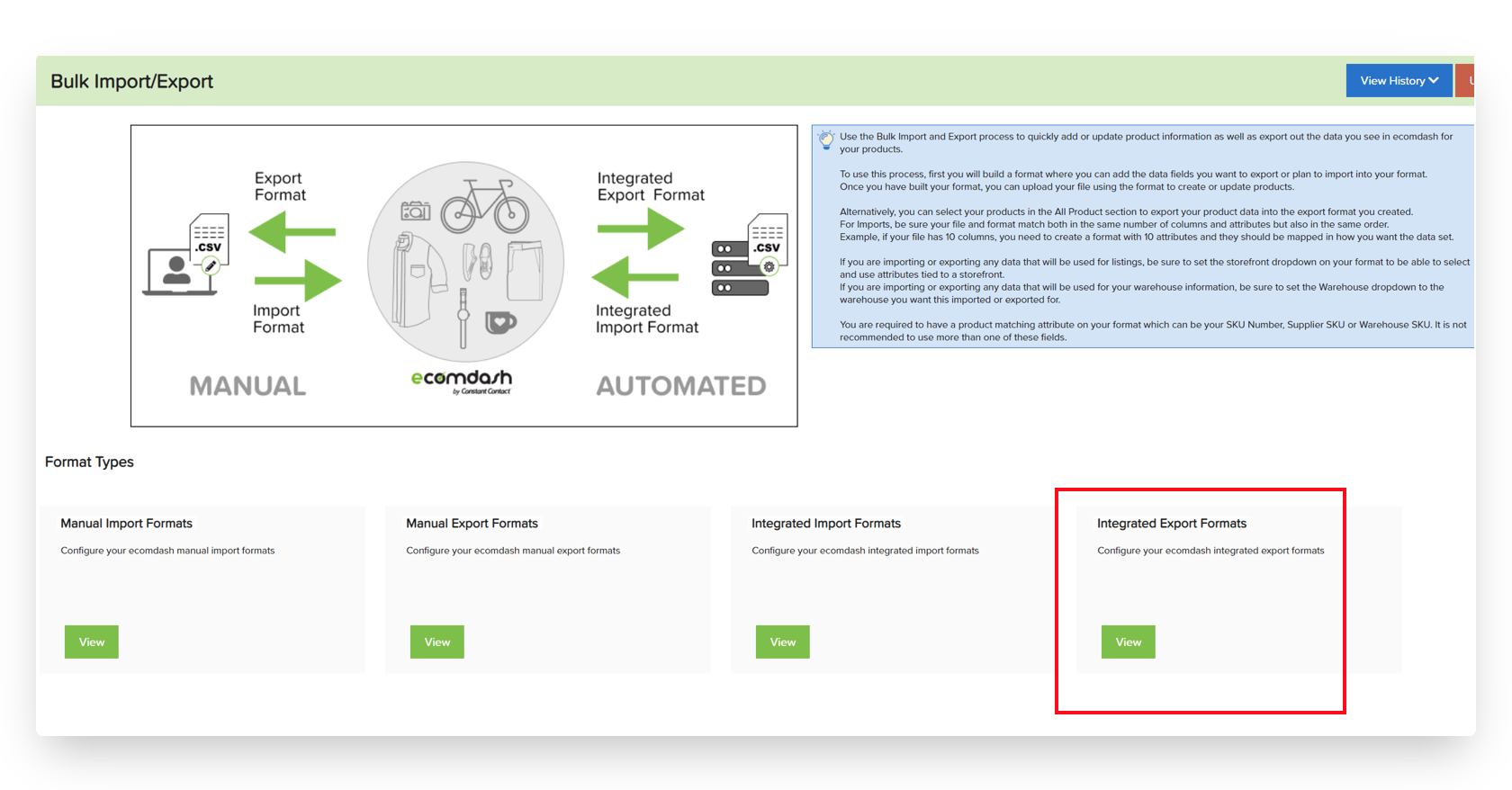
- Choose "Integrated Export Formats"
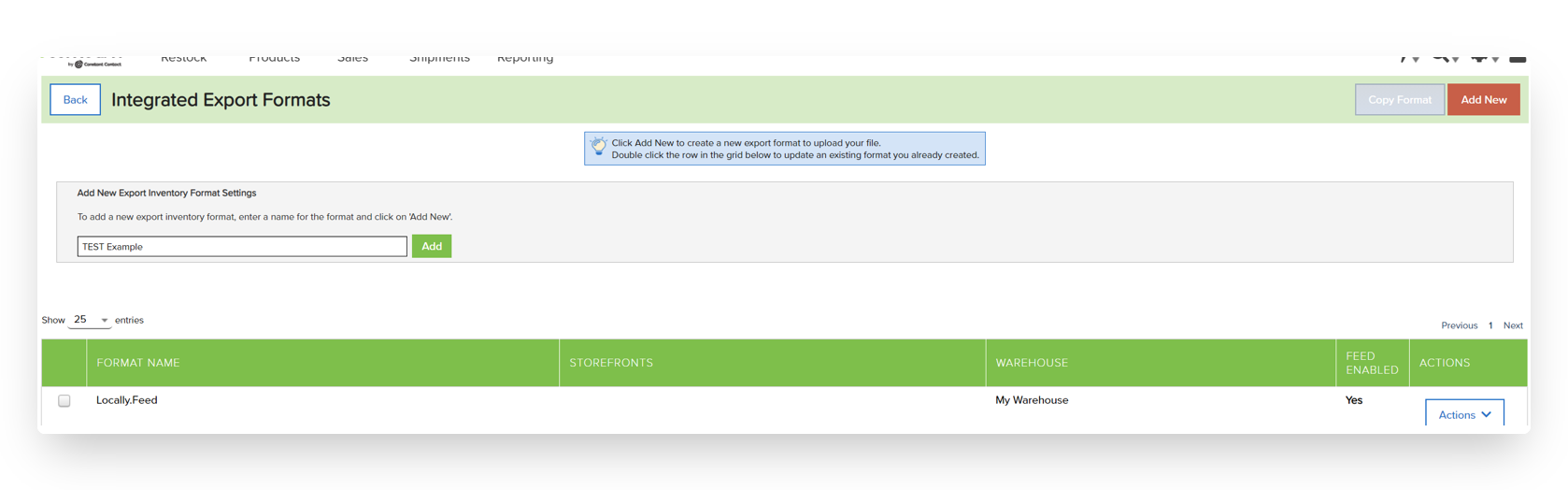
- Click "Add New" and give your report a name. Any alpha-numeric combination will do.
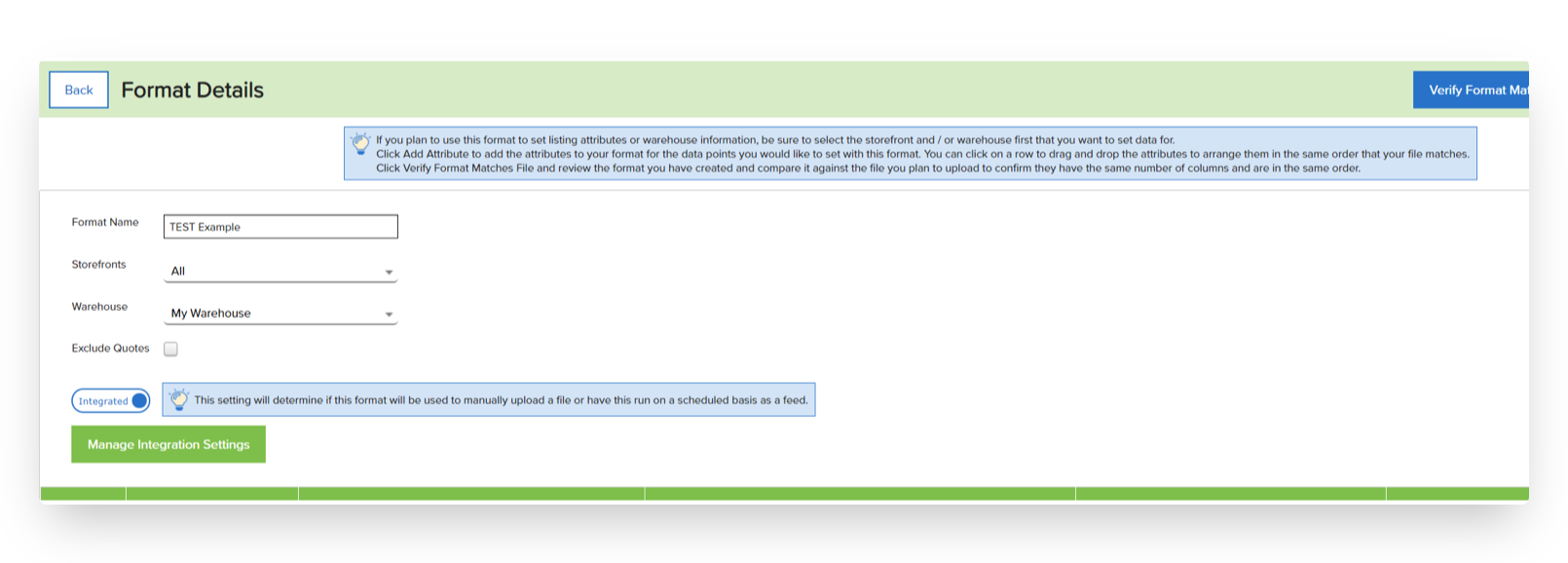
- Make selections for "Storefronts", "Warehouse", and choose "Integrated"
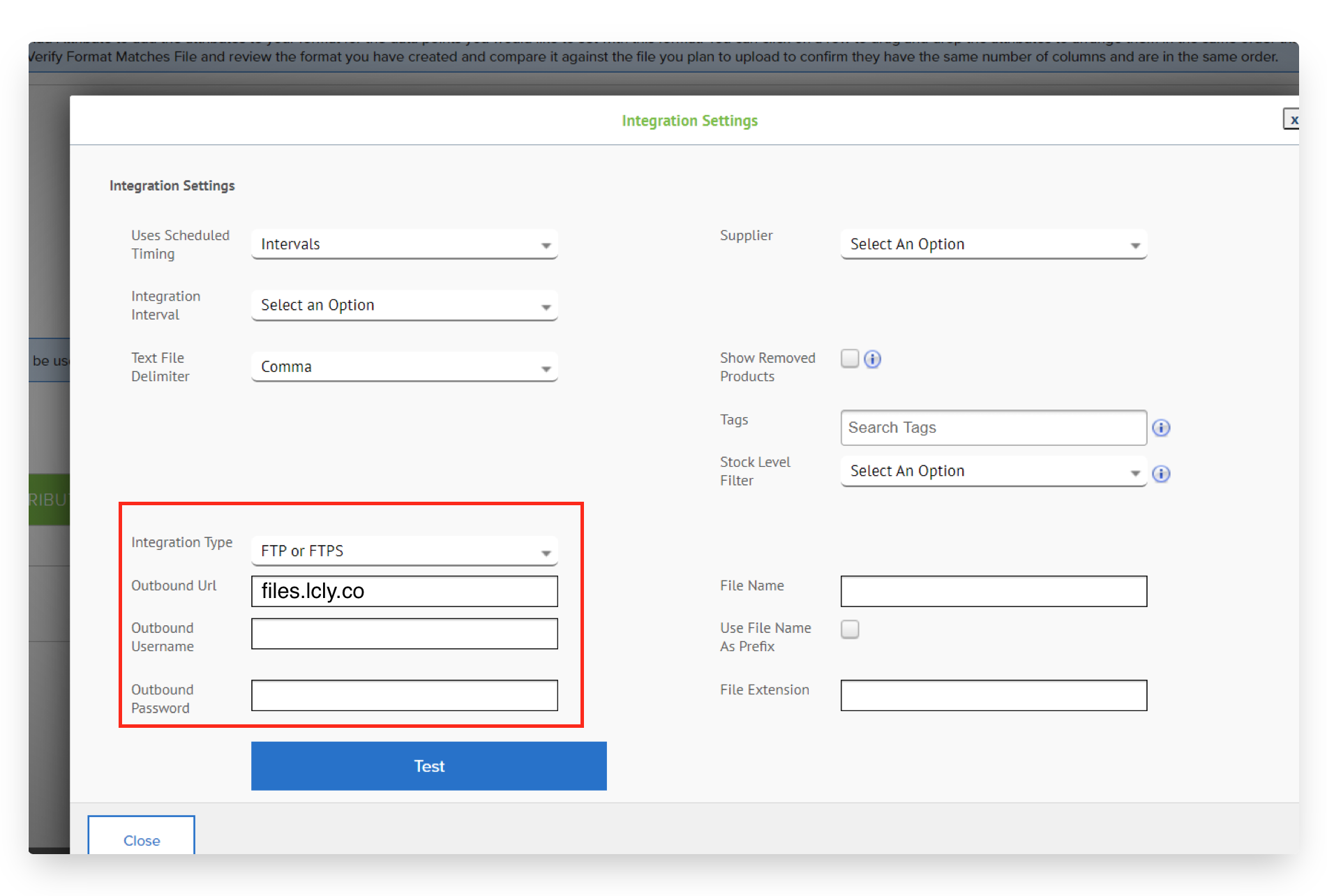
- Select "Manage Integration Settings" and make selections for how frequently you'd like the report to export. Locally can accept a new file as often as every hour. Choose "Text File Delimiter" = Comma.
- Generate your SFTP credentials within your Locally account here. Enter the username and password generated on this page under "Integration Type"
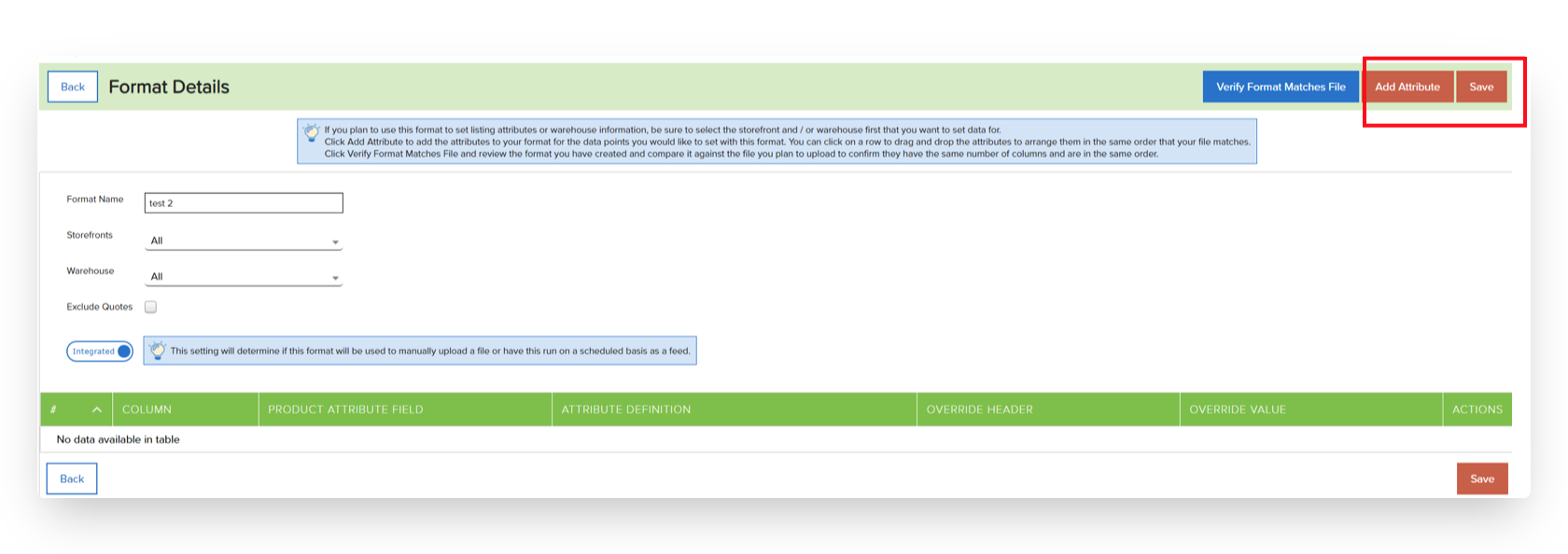
- Finally, add the Attributes to be included in the file [UPC/SKU, quantity, price]
Updated 3 months ago
Did this page help you?