

Erply
How do I connect my inventory with Erply?
- Locate your store's unique Locally ID in your Locally account. You will need to enter the Locally ID for each of your shops in the Erply set up.
- Load your Locations panel from your Locally dashboard here.
- Click on the pencil icon to edit.
- Grab your store ID from the store URL as shown below or ask the Locally team for help at [email protected].
For example: https://www.locally.com/station/panel/our_stores/update/12345#Main+Info 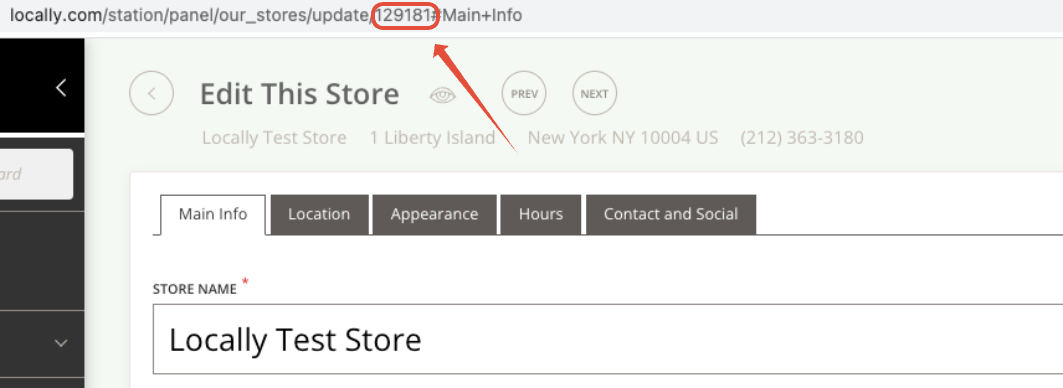
- Follow the instructions here to create the connection in your Erply system.
- Email us at [email protected] when the connection has been configured and we will make sure to get your file connected to you shop(s) in our system.
Updated 3 months ago
Did this page help you?