

EVE
How do I connect my inventory with EVE?
- Find your store's unique inventory email address in your Locally account under Email Method here.
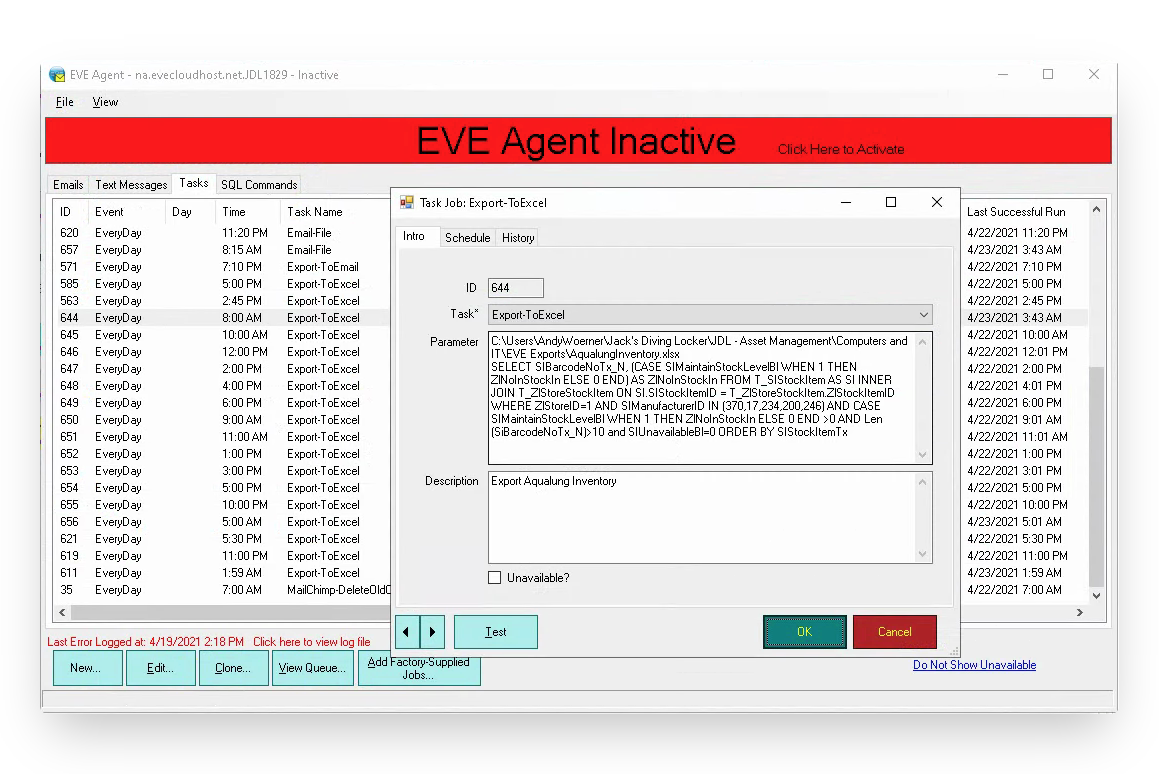
- To export your inventory, create a new Task in the Task tab
- Task Type: Export-ToExcel
- Parameter:
- C:[Folder Path]\AqualungInventory.xlsx SELECT SIBarcodeNoTx_N, (CASE SIMaintainStockLevelBl WHEN 1 THEN ZlNoInStockIn ELSE 0 END) AS ZlNoInStockIn FROM T_SIStockItem AS SI INNER JOIN T_ZlStoreStockItem ON SI.SIStockItemID = T_ZlStoreStockItem.ZlStockItemID WHERE ZlStoreID=1 AND SIManufacturerID IN ([Comma separated list of your Aqualung ManufacturerIDs in EVE]) AND CASE SIMaintainStockLevelBl WHEN 1 THEN ZlNoInStockIn ELSE 0 END >0 AND Len(SiBarcodeNoTx_N)>10 and SIUnavailableBl=0 ORDER BY SIStockItemTx
- NOTE: This parameter if copied exactly will only send Locally Aqualung products. However, we recommend that stores send their full inventory as we are always adding new supported catalogs to our system. To do this, list all brand manufacturer IDs when creating this parameter.
- Description: Optional
- Set schedule on Schedule tab
- Once done you can right click to 'Clone' the Task and repeat it as often as you like by changing the scheduled time in the clones
- Create a new Task in the Task tab
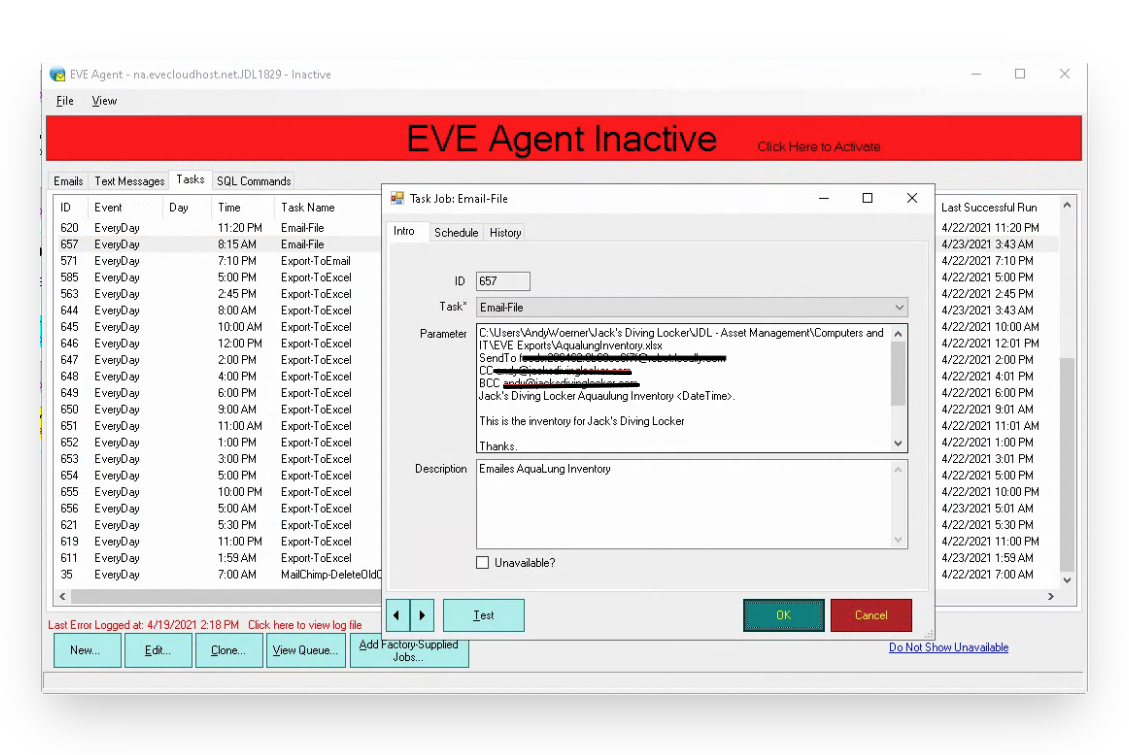
- Task Type: Email-File
- Parameter:
- C:[Folder Path]\YourOwnFilename.xlsx
- SendTo [Your assigned Locally.com feed email address]
- CC [Your email address-I've not figured out how to leave these blank]
- BCC [Your email address-I've not figured out how to leave these blank]
- No specific subject line or email body content required. Just send the report to your unique Locally email address.
- Set schedule on Schedule tab slightly after time of the first task above
- Once done you can right click to 'Clone' the Task and repeat it as often as you like by changing the scheduled time in the clones.
- After your first inventory file has been sent, reach out to [email protected] so that we can connect your inventory feed to your store listing in our system.
Automations in EVE run through EVE Agent. If any EVE users aren't already using that, they should ask EVE support ([email protected]) for guidance.
Updated 3 months ago
Did this page help you?