

Shifter
How do I connect my inventory with Shifter?
- In the Shifter app, go to the Service-Tiers page and locate the Locally card. Retailers must contact Shifter to activate the Locally option.
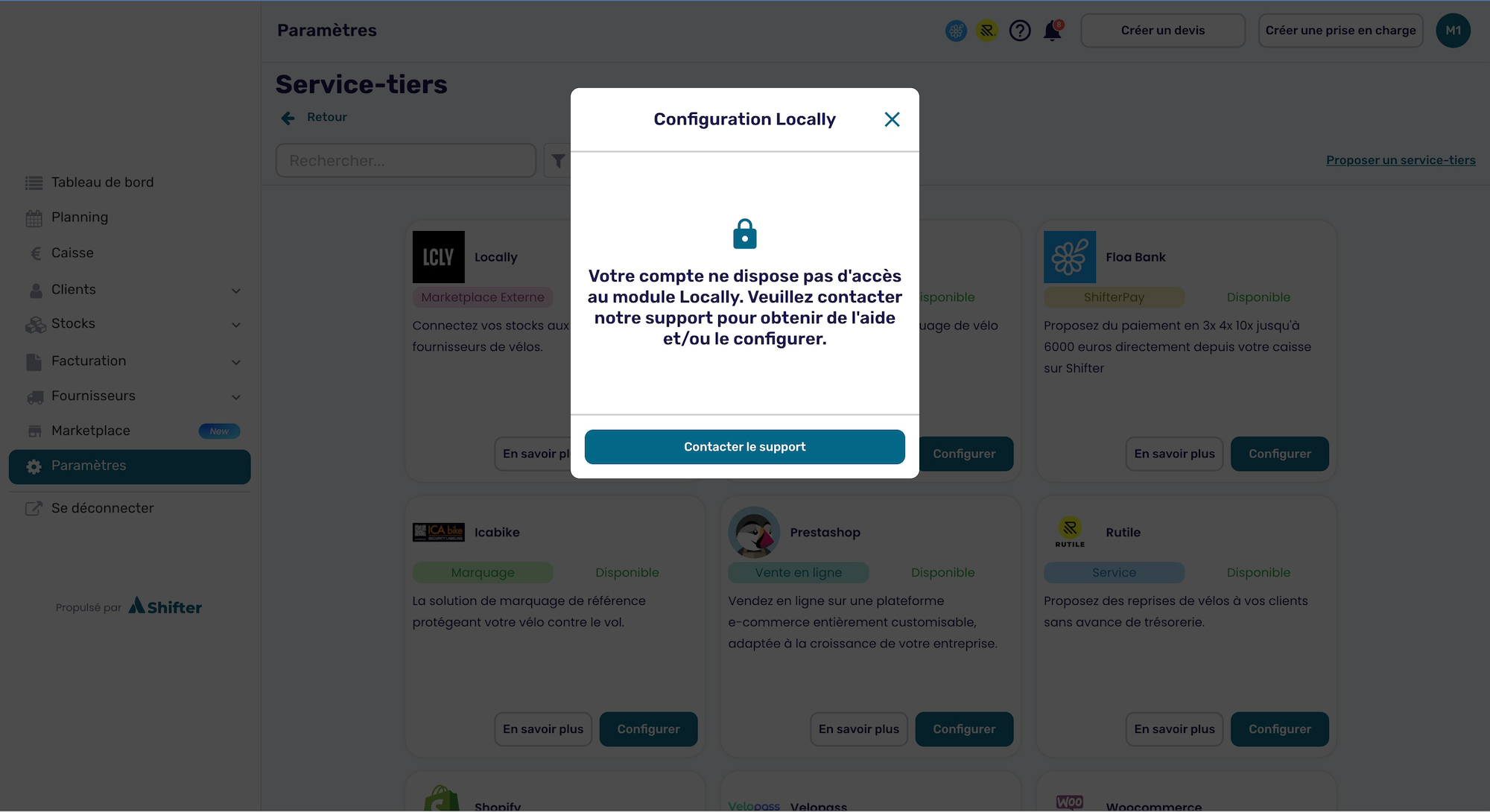
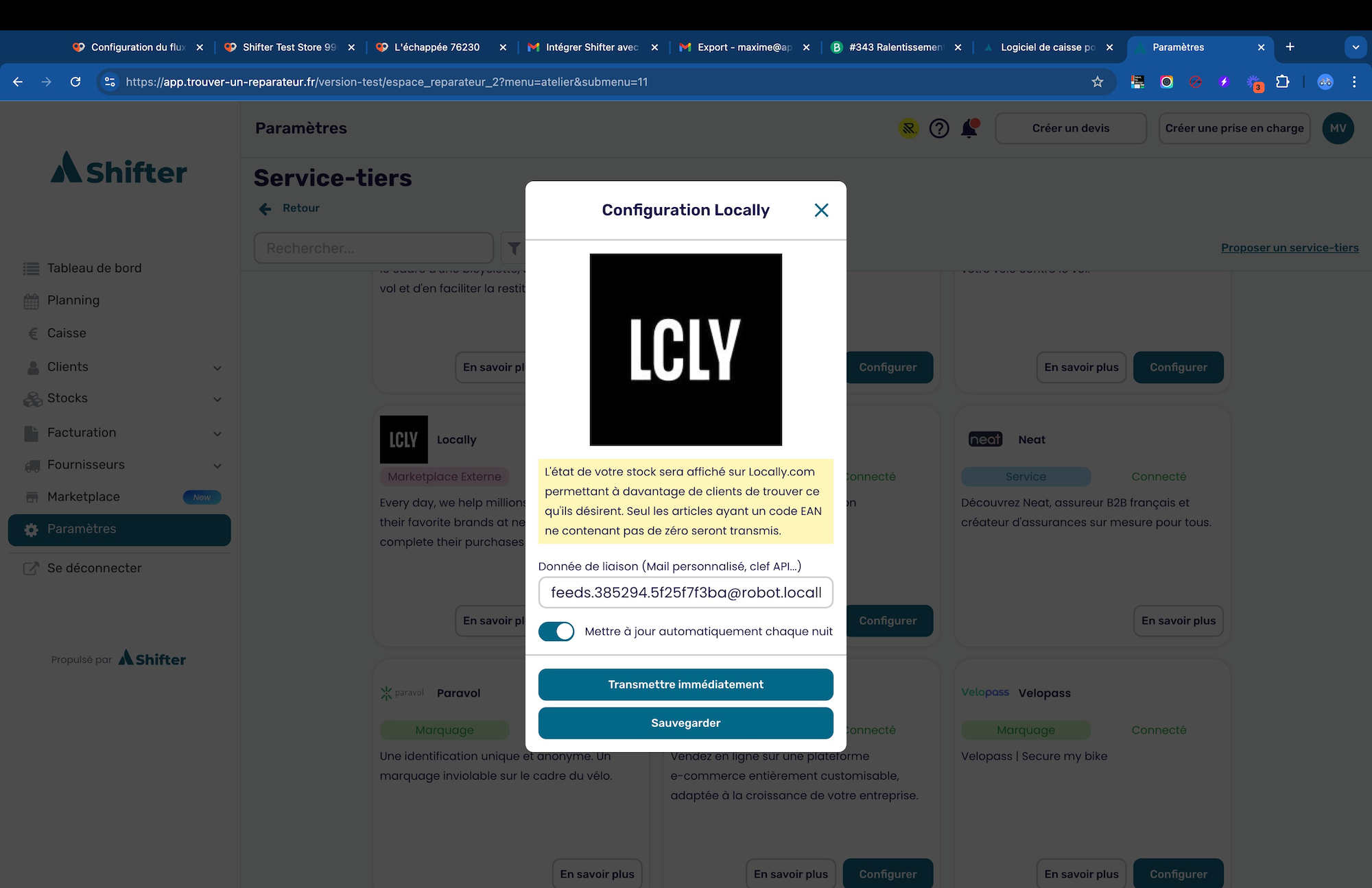
- Once the Locally option is activated, you will see an interface where you can input the unique inventory email address provided by Locally.
- You can find your store's email address by going to Email Method here.
- After entering and saving the email address, Shifter will automatically send a CSV file every 24 hours containing the EAN (European Article Number) and stock quantity. Retailers can also manually trigger an email send at any time.
- Once these steps are complete, send an email to [email protected] so we can help finalize the connection.
Updated 3 months ago
Did this page help you?