

Tallysoft
How do I connect my inventory with Tallysoft?
- Open the Tallysoft Locally connector.
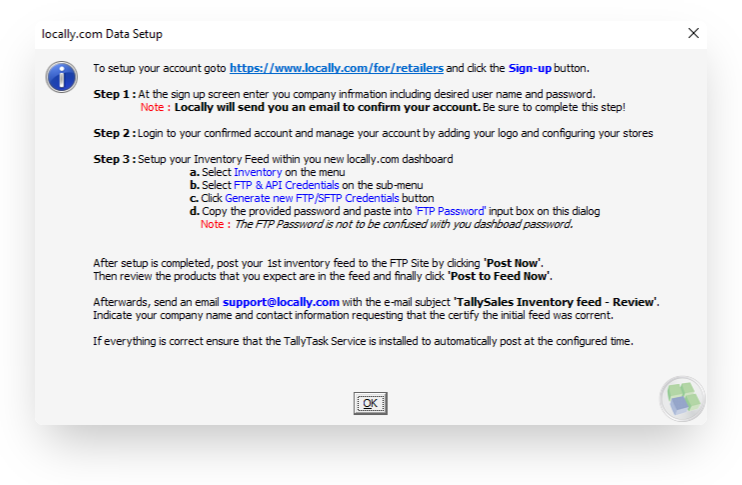
- Generate SFTP credentials in your Locally account here.
- Enter your credentials into the {Your User Name} and {Your SFTP Password} as shown below.
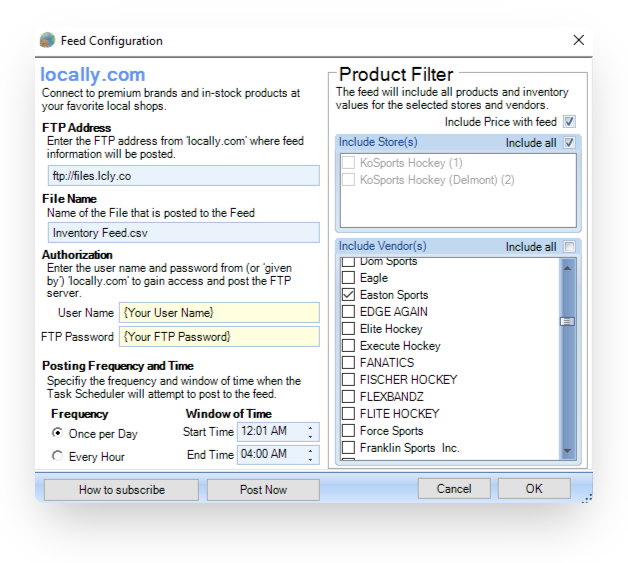
- You can customize the posting frequency, which stores to include, and which brands to send stock for.
- Email [email protected] to let us know that your inventory report has been sent over!
Updated 2 months ago
Did this page help you?