

Velo.Port
How do I connect my inventory with Velo.Port?
- Generate SFTP credentials in your Locally account here.
- For activation you must enter your SFTP info in your Velo.Port system under EXTRAS >> SETTINGS >> ONLINE ACCOUNTS.
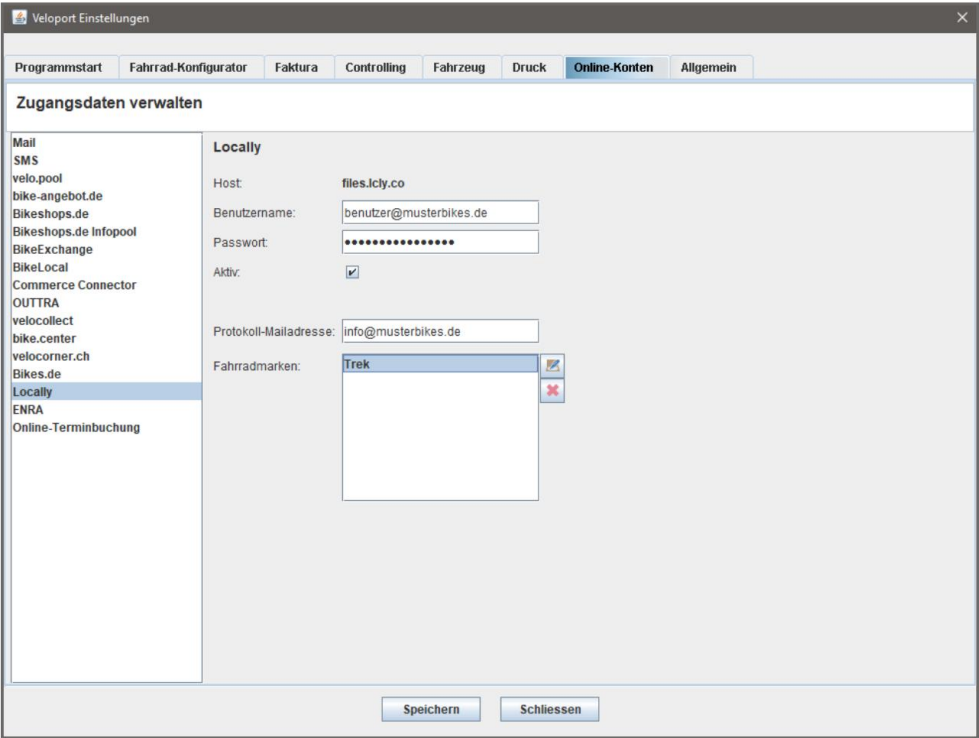
- Select the brands you would like to add to the inventory file.
- Send an email to [email protected] indicating that you've shared your SFTP information within the Velo.port system. Locally will setup your feed on our end and inform you when your inventory is live!
Updated 3 months ago
Did this page help you?